QuantumCat/Security & privacy
Security & privacy
Software you run. Not a service that holds you.
QuantumCat is a desktop application. Your keys, your tape and your trading record stay on your machine, and your orders go straight to the broker you already trust. Here’s exactly how.
Keys encrypted on your own disk. Every tick recorded locally. The ticket, bots, Pulse and JARVIS all run here.
your login
Angel One · Groww
Executes every order under your own credentials. Your money and securities never leave it.
member
Where the order fills — through the member you already trust.
The guarantees
What stays with you — and why.
Each of these is enforced in the product, not promised in a policy.
Credentials
An encrypted vault on your own disk
API keys, secrets and session tokens are sealed with AES-256-GCM inside QuantumCat’s own data folder. They are never synced and never sent to us. Your broker password is only ever typed on your broker’s own login page.
Orders
Straight from your machine to your broker
Every order leaves your machine for your broker’s official API under your own login. There is no QuantumCat server in the order path to fail, throttle or see it.
Your data
Ticks, journals and backtests stay local
The terminal records the tape it streams to your own disk from day one — the archive behind replay and backtests. Journals, bots and research live beside it.
What we see
An account, never a book
The only QuantumCat service is licensing. It knows an account exists and whether it’s active — never your trades, positions, balances or P&L.
Updates
Signed, verified, notarized
Every update is signature-checked before it installs. Mac builds are Developer ID signed and notarized by Apple; the app refuses a package whose signature doesn’t match.
AI
JARVIS can’t reach your keys
JARVIS runs on your own ChatGPT plan. The tools that could read credentials or change risk limits aren’t in its toolbox, and it stages orders for your confirmation by default.
The static-IP rule
SEBI’s IP rule, handled.
Since 1 April 2026, brokers accept API orders only from an internet address you’ve registered with them. Market data works from anywhere — only order placement is gated.
- Guided setup for each broker — one click on Dhan, copy-paste steps for Zerodha and Angel One
- Drift warnings when your connection’s IP no longer matches what your broker saw
- Static IP options explained: from your ISP, or your own fixed-IP relay
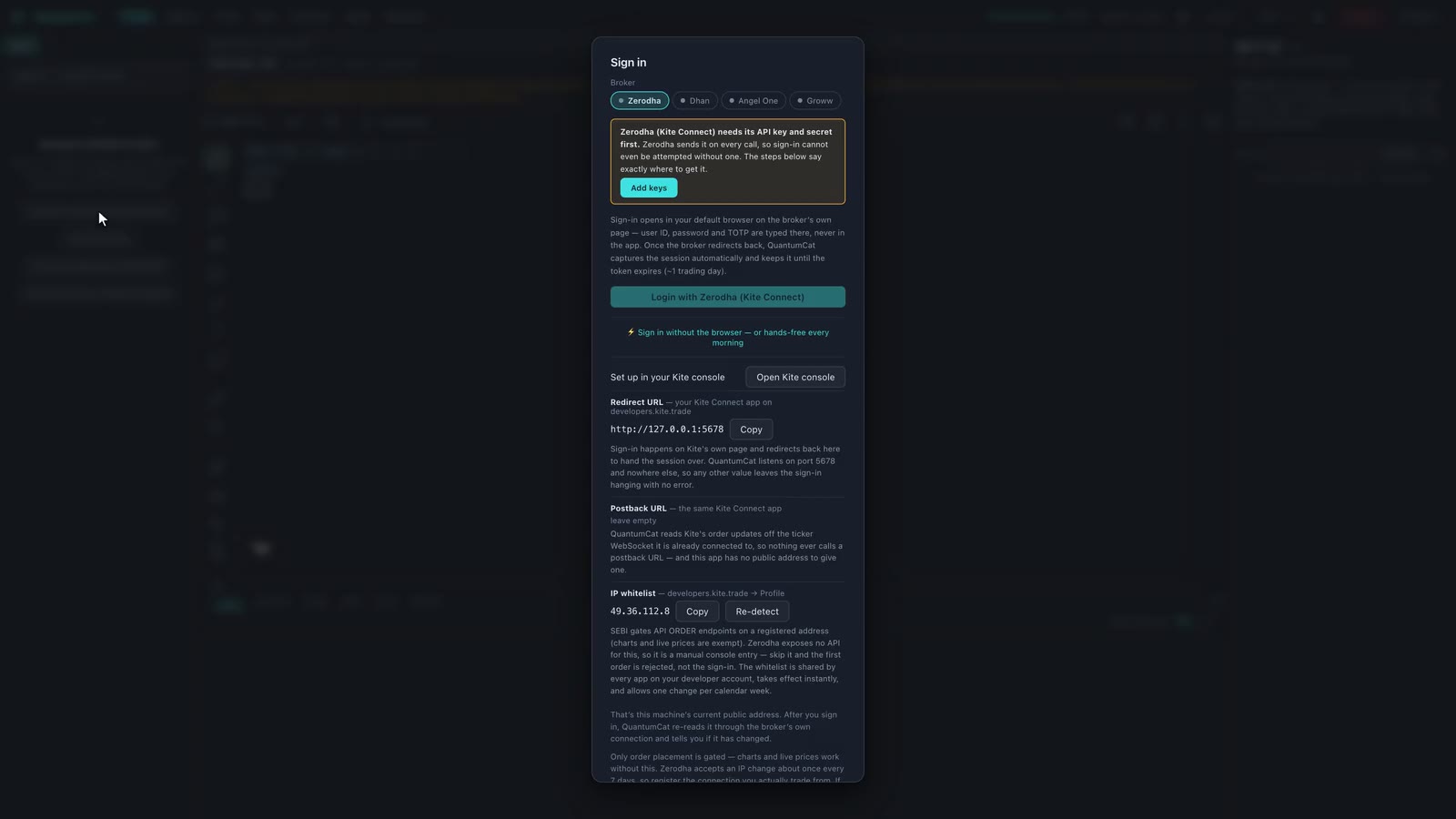 Broker setup · real build