QuantumCat/Brokers/Zerodha
For Zerodha · Kite Connect
Everything Zerodha does. Plus the tools it doesn’t.
QuantumCat runs on top of your own Zerodha account through the official Kite Connect. Same broker, same account, same safety — with a professional terminal, order-flow reads, options analytics, bots and an AI operator on top.
In short
QuantumCat is a desktop trading terminal that runs on your own Zerodha account through Kite Connect, adding risk-sized orders, stops kept at Zerodha as GTT triggers, option analytics, no-code bots and an automated daily login — so a Kite user gets a professional terminal without moving a rupee.
 Real build · Zerodha
New to broker APIs?
How it works, in plain words.
An API is the official connection Zerodha offers so that software can read prices and place orders on your own account. You turn on Kite Connect with Zerodha, register your internet address for orders, and connect it to QuantumCat once. From then on QuantumCat shows Zerodha’s live prices and sends your orders straight to Zerodha — your money never leaves your Zerodha account.
Step-by-step Zerodha setupKnow before you start
- The free personal Kite Connect plan places orders and reads your account; live and historical prices need Zerodha’s paid Connect plan, billed per app.
- Market depth in QuantumCat is five levels on Zerodha.
- Order-IP registration is manual, in the Kite developer console — QuantumCat walks you through it with a guided sheet.
QuantumCat is software, not a stock broker or a SEBI-registered investment adviser. It is not affiliated with or endorsed by Zerodha, and it gives no tips: trading in securities and derivatives carries a substantial risk of loss.
Zerodha, specifically
Modelled the way Zerodha actually behaves.
Sign in on Zerodha’s own Kite page — or let QuantumCat mint the day’s token itself before the open.
- Automated daily login — Zerodha’s session expires every morning; QuantumCat can mint the new token before 9:15
- Native iceberg for orders above the exchange freeze limit
- GTT-backed protection — OCO and break-even stops as broker-side standing triggers
Kite Connect’s personal API is free; live and historical data come with Zerodha’s ₹500/month Connect plan.
Your keys
They never leave your machine
Your Zerodha credentials live in an encrypted vault on your own disk, and orders go straight from your machine to Zerodha — there is no QuantumCat server in between.
SEBI’s IP rule
Static-IP setup, guided
Since 1 April 2026 brokers accept API orders only from a registered IP. QuantumCat shows you the address to register with Zerodha and warns you if it drifts.
On your Zerodha account
The whole desk, on the account you have.
No new demat. No funds with us. Your broker executes every order under your own credentials.
The terminal
One-second candles, depth and a ticket that does the maths
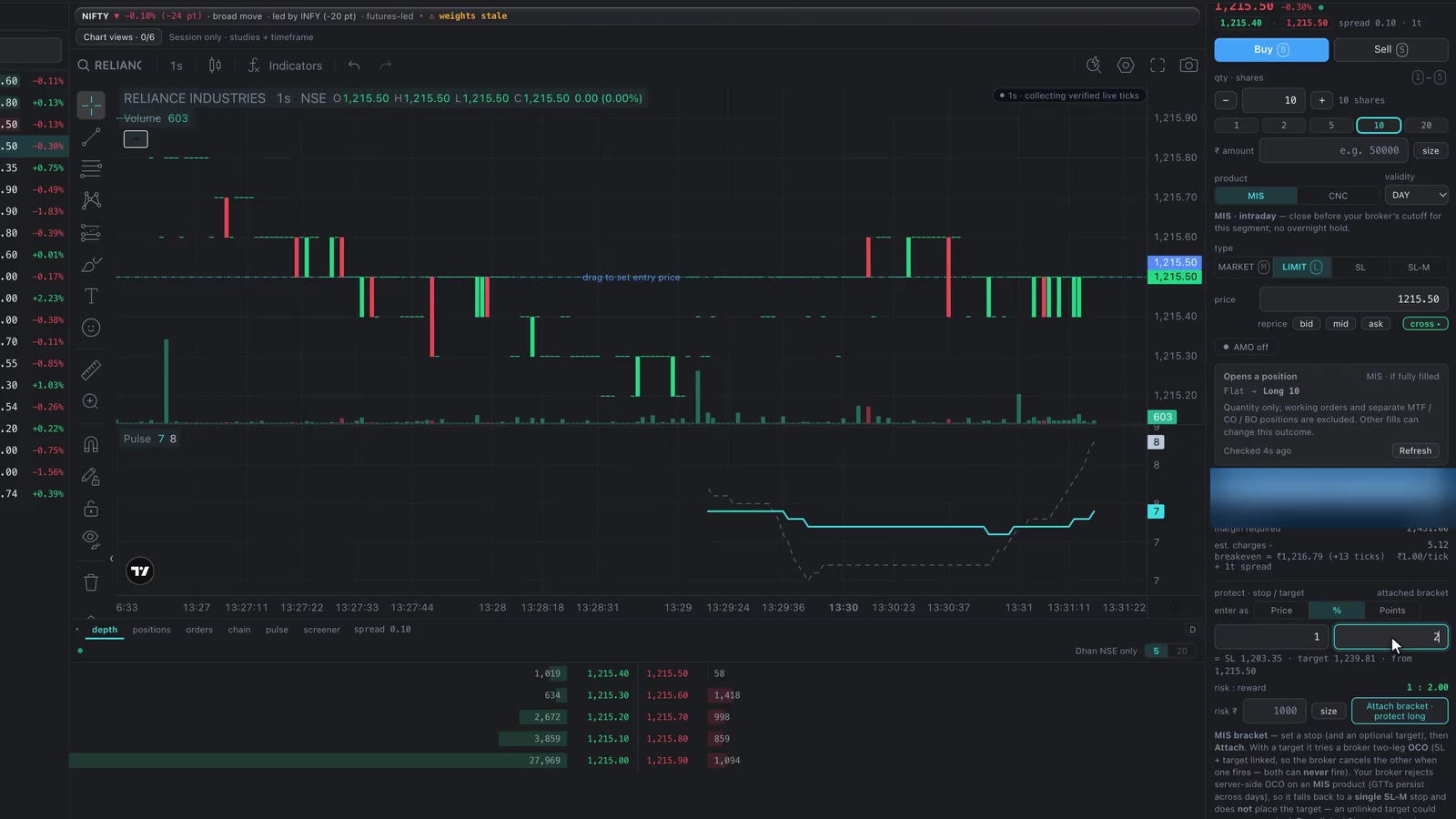
TradingView’s chart on Zerodha’s own tape, down to one-second candles, with a ticket that sizes by risk and shows margin, charges and breakeven before you commit.
Pulse
Order flow, read for you
Pulse reads the microstructure of your Zerodha feed — tape, book, chain and basis — and fuses it into one confirmed read with its evidence. Decision support, never a tip.
Options
Payoff, greeks and real margin
Build any structure off the live chain and see the payoff, probability and Zerodha’s own basket margin — hedges included — before a single leg is placed.
Bots
Paper first, then live
Five-step guided builder, complete Indian-market presets, backtests that pay Indian charges and paper trading on live prices.
JARVIS
An AI operator on your account
Screens, builds and explains with 181 audited tools on your own ChatGPT plan — and stages orders for you to send.
Replay
Your own tick archive
Every tick you stream is recorded to your own disk from day one — replay any session and practise with paper fills.
Your Zerodha account. A real terminal.
Download QuantumCat free, then connect Zerodha with the setup guide — it takes a few minutes.