QuantumCat/Features/Charts & drag-to-trade
Charts · 13 of 18
The chart is the cockpit.
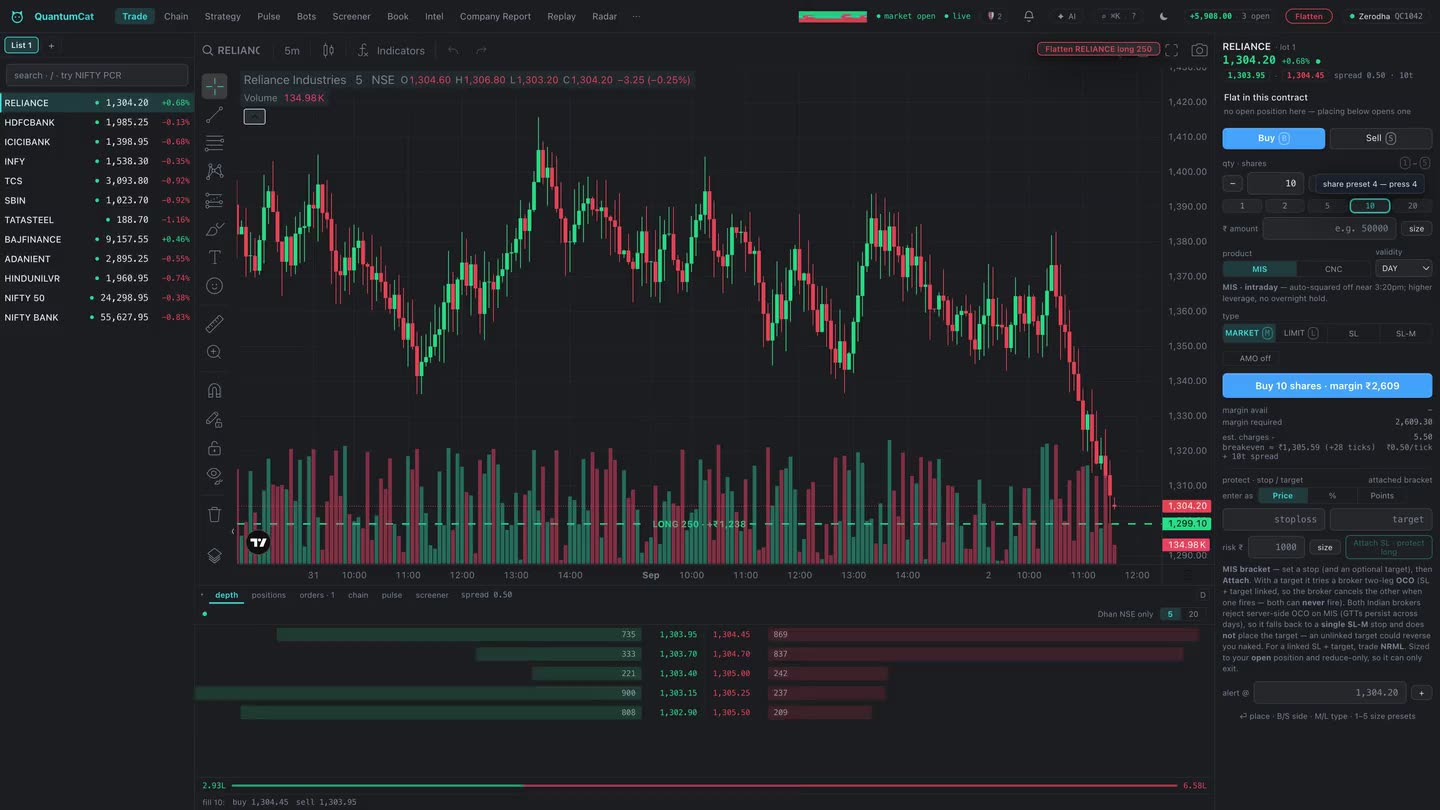
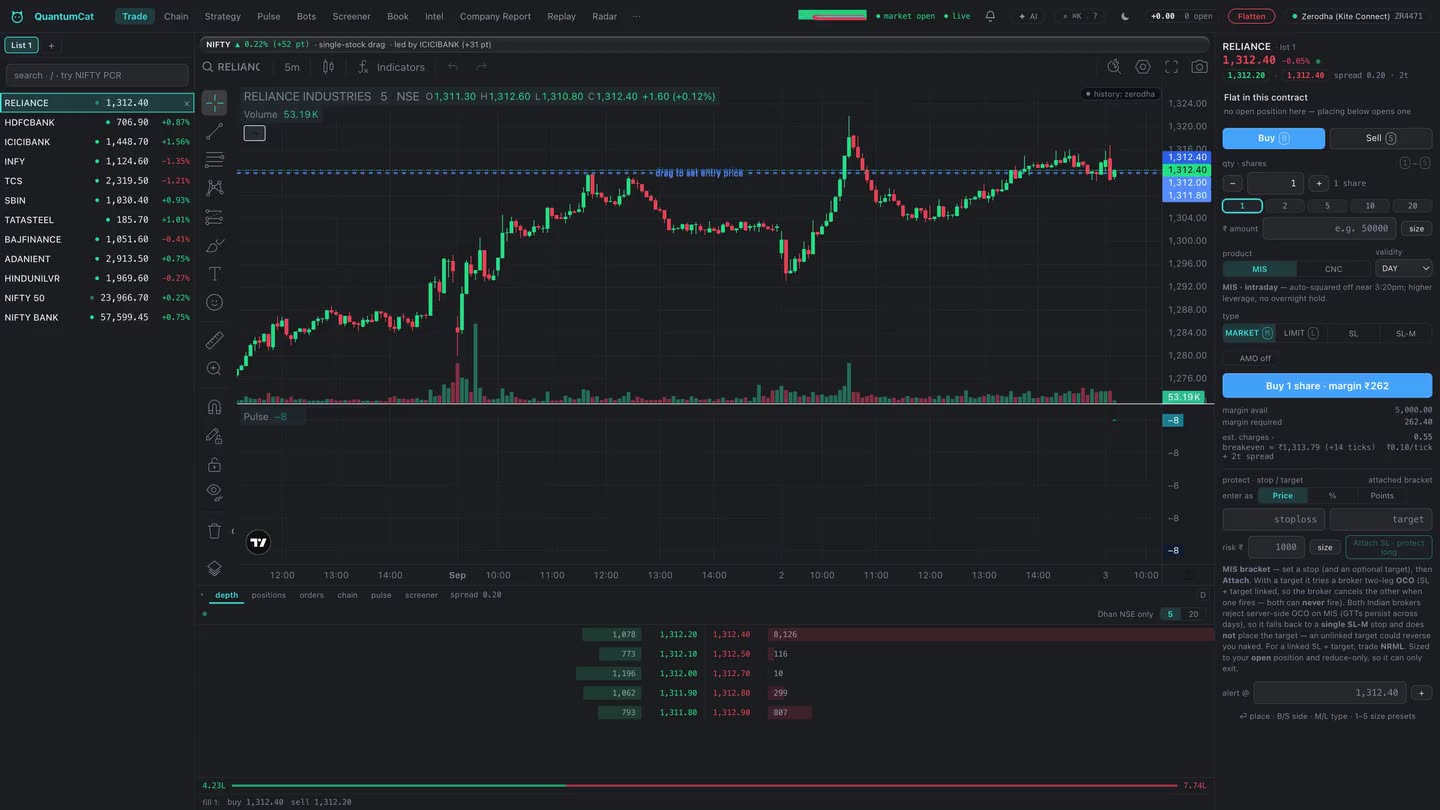
TradingView’s chart on your own broker’s tape — where the stop is a line you drag, the drag moves the real resting order, and a refused move snaps back instead of lying.
Your broker’s tape, on TradingView’s chart
The chart is the licensed TradingView charting library, fed by your own broker’s candles and your own live ticks — not a third-party data vendor’s approximation of them. The bar you see forming is built from the same tick stream your orders route against, on the same session grid (NSE 09:15, MCX and CDS 09:00), so a level you draw is a level your fills relate to.
Drawings, indicators and the timeframe persist per instrument. The chart blends into the window rather than sitting in a box — a deliberate constraint the app holds itself to, in both themes.
Trade by dragging
With drag-to-trade on, your stop-loss and target are lines. Drag one and the app doesn’t just redraw it — it moves the resting broker-side GTT, in place where the broker supports a modify, and by a confirmed delete-then-create where it doesn’t. It never leaves two live stops on one position: if the delete is refused, the create does not run, and the existing stop stays exactly where it was.
- A refused move is refused visibly. If the broker rejects the change, the line snaps back to where protection actually rests — it never sits at a price nothing is armed at.
- Both lines together become one OCO where the broker supports it, so the first to fill cancels the other.
- The confirm card shows the real numbers — trigger, the limit that will actually rest behind it, quantity and side — before anything is sent.
Entries from the chart
Drop a level to stage a limit or a stop entry. The side is always explicit — never inferred from where you dropped it. A stop-limit’s cushion is capped at 100 ticks rather than a flat percentage, because on an index future a “0.25%” cushion is over a thousand ticks of slippage, and the resulting limit is displayed next to the trigger so you see the price it can actually fill at.
A stop-market entry, or a limit already priced through the tape, is blocked while the feed is disconnected or the tick is stale — an entry never reduces risk, so there is no exception for it.
The rest of the cockpit
| Overlay | What it does |
|---|---|
| Trade lines | Live entry, stop and target for the open position, drawn from the broker’s own numbers. |
| Order modify | Drag a resting order’s price to modify it; a rejected modify restores the line. |
| Plan levels | The frozen Pulse plan — entry, stop, objective — drawn where they were decided, not recomputed as price moves. |
| Flatten | A reduce-only market exit for this instrument, two-click armed, that bypasses the entry risk gate — you can always get out. |
| Replay bar | Scrub a recorded session tick by tick, with the transport pinned over the chart. |
What the chart will not do
- It will not derive a price from a pixel without rounding to the instrument’s tick. Every dropped level is snapped before it is sent.
- It will not arm an overlay against the wrong instrument. If the series and the focused symbol disagree, the overlays stand down rather than draw one instrument’s levels on another’s axis.
- It will not place anything silently. Every drag ends in a confirm card, and every confirmation states the account it will place on.